Evaluating mobile mechanic app features means assessing the specific functions that determine whether a service is convenient, transparent, and reliable for on-the-go auto repairs. The best apps cover four core categories: diagnostics, repair references, parts lookup, and management and invoicing. Car owners who understand these categories make faster, smarter decisions when choosing a mobile repair service. Onsite Los Angeles Mobile Mechanic operates without an app but delivers every one of these capabilities through its direct booking process, upfront quotes, and on-site service across the greater Los Angeles area.
What are the essential mobile mechanic app features to evaluate?
The most important features in any mobile mechanic platform fall into eight categories. Knowing each one helps you judge whether a service will actually save you time and money.
- Mobile-first design. The interface must work cleanly on a phone screen. Cluttered layouts slow down booking and create errors during service.
- Scheduling and calendar management. Intelligent scheduling with automatic conflict detection and route planning reduces drive time and improves mechanic arrival reliability. This directly cuts your wait time.
- On-site invoicing. Mobile mechanics can create digital invoices in under 60 seconds. That speed means you get an accurate bill before the mechanic leaves your driveway.
- Client and vehicle management. A built-in CRM stores your vehicle history, past repairs, and service notes. This prevents duplicate work and helps prioritize what needs attention next.
- Mobile payment processing. The best platforms accept card and digital wallet payments on the spot. Service ticket sizes range from $200 for basic jobs to over $2,000 for complex repairs, so fast payment processing matters.
- OBD2 diagnostics integration. Apps that connect to your car’s onboard diagnostic port pull live fault codes. This removes guesswork from the diagnosis and speeds up the repair.
- Offline capability. Offline data entry prevents delays in invoicing when cellular signal is lost, syncing everything once the mechanic is back online.
- Automated customer communication. Automatic SMS or WhatsApp updates keep you informed at every stage without requiring you to call and ask.
Pro Tip: Ask any mobile service provider whether their workflow generates a digital job card before they start work. If it does not, you have no tamper-proof record of labor charges or parts used.
How do app features translate into real benefits for car owners?
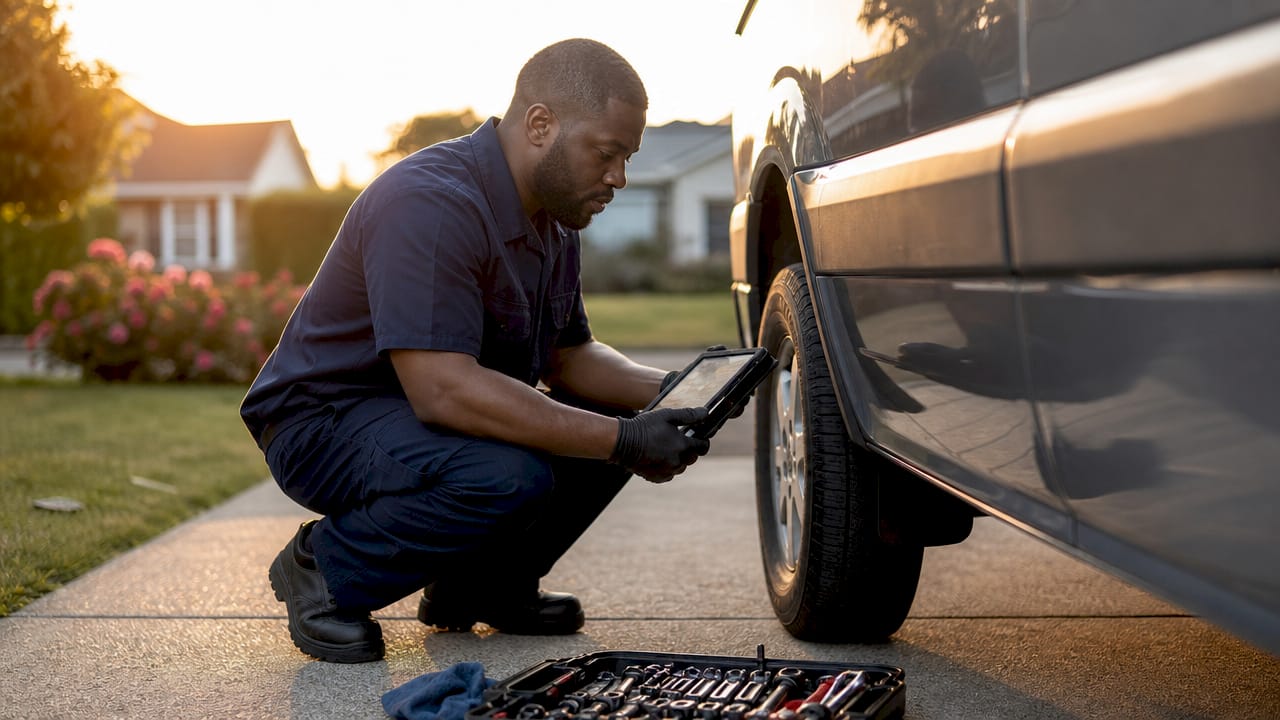
Every feature listed above connects directly to a problem car owners face at a traditional shop. Understanding those connections helps you see why the right platform matters.
GPS proximity dispatch automatically assigns the closest available technician. That means shorter wait windows compared to calling a shop and hoping someone is free. For busy drivers in Los Angeles, that difference can be the gap between making a meeting and missing it.
Digital job cards created on-site are tamper-proof records of every labor charge and part used. They support warranty claims and add to your vehicle’s resale value. A paper receipt from a shop offers none of that protection.
Transparent estimates with itemized parts and labor details remove the most common source of distrust in auto repair. When you see exactly what you are paying for before work begins, you stay in control of the decision. That is the core promise behind mobile payment in auto service and why it has become a standard expectation.
A consistent grading scale applied to every digital inspection line item, using pass, advisory, and fail ratings, helps owners prioritize repairs objectively. You stop guessing which warning light is urgent and which can wait until next month.
Pro Tip: Check whether the service you are considering sends automated status updates. If you have to call to find out where your mechanic is, the communication system is not working for you.
What criteria should car owners use to compare mechanic app functionalities?
A structured checklist removes the guesswork when you compare mechanic app functionalities across different service providers. Work through these steps before you book.
- Confirm mobile-first usability. Open the booking interface on your phone. If it loads slowly or requires pinching and zooming, the platform was not built for field use.
- Verify on-site invoicing. Ask whether you receive a digital invoice before payment. Any provider using a quality platform generates one in under 60 seconds.
- Check scheduling flexibility. Can you book same-day or next-morning? Scheduling flexibility is one of the clearest signals that a service is built around your calendar, not theirs.
- Assess payment options. Confirm the provider accepts card and digital wallet payments. Cash-only services lack the payment infrastructure that modern mobile platforms provide.
- Ask about vehicle history tracking. A provider that stores your car’s service records can spot patterns and prevent repeat failures. One that starts fresh every visit cannot.
- Test communication responsiveness. Send a booking inquiry and measure the response time. Slow replies before the job predict slow communication during it.
- Confirm diagnostic capability. Ask whether the mechanic uses OBD2 tools. Mobile diagnostic tools read live fault codes and reduce the chance of misdiagnosis.
The table below summarizes the evaluation criteria by category.
| Feature category | What to check |
|---|---|
| Scheduling | Same-day availability and conflict-free booking |
| Invoicing | Digital invoice generated before payment |
| Diagnostics | OBD2 integration and graded inspection reports |
| Payment | Card and digital wallet acceptance |
| Communication | Automated SMS or app updates during service |
| Vehicle history | Stored records accessible across visits |
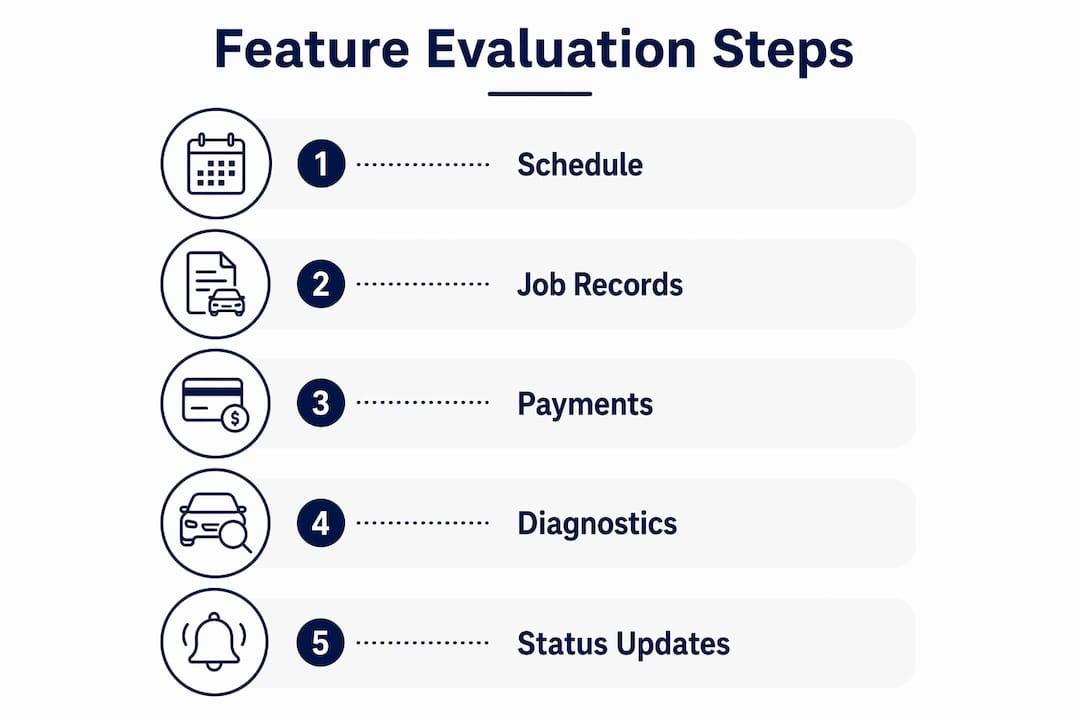
Pro Tip: Avoid passive directory platforms that only list mechanics without handling booking, payment, or job records. Full-lifecycle service apps that manage booking through payment and history tracking deliver a far better experience.
What mistakes should car owners avoid when evaluating mechanic apps?
The most common mistake is confusing a feature-heavy interface with an efficient one. An app can display dozens of options and still fail to connect scheduling, invoicing, and payment into a single workflow. Disconnected features create friction at every step.
- Ignoring offline capability. A mechanic working in a parking garage or a low-signal neighborhood needs offline data entry. Without it, your invoice gets delayed and your job record may not sync correctly.
- Relying on directory-only apps. Many apps are passive directories rather than transactional service platforms. They show you a list of mechanics but handle nothing else. The best experience comes from platforms that manage the full repair lifecycle.
- Skipping the transparency check. If a provider cannot show you an itemized estimate before work starts, the platform does not support transparent pricing. That is a structural gap, not a policy choice.
- Failing to verify vehicle compatibility. Some platforms only support common makes and models. If your vehicle is less common, confirm that the service carries the right parts and has experience with your specific car before booking.
- Not checking integrated payment support. A provider that requires a separate payment step after the job adds unnecessary friction. Integrated payment at job completion is the standard for quality mobile auto repair.
The single biggest red flag in any mobile mechanic platform is the absence of a digital job card. Without one, you have no record of what was done, what was charged, or what parts were installed.
Key Takeaways
The most effective way to evaluate mobile mechanic app features is to check for integrated scheduling, on-site digital invoicing, OBD2 diagnostics, and transparent payment processing before you book.
| Point | Details |
|---|---|
| Prioritize integrated features | Scheduling, invoicing, and payment must connect in one workflow, not operate as separate steps. |
| Demand digital job cards | Tamper-proof on-site records protect you for warranty claims and future resale. |
| Avoid directory-only platforms | Full-lifecycle apps that handle booking through payment deliver far better transparency. |
| Check offline capability | Apps that sync offline data prevent invoice delays in low-signal areas. |
| Use a graded inspection scale | Pass, advisory, and fail ratings help you prioritize repairs without relying on guesswork. |
What I have learned from watching car owners choose mobile mechanic services
Most car owners focus on price first and features second. That order gets them into trouble. A low quote from a provider using a passive directory platform often means no digital invoice, no job record, and no clear accountability if something goes wrong after the repair.
The feature that matters most is one most people never think to ask about: the digital job card. When a mechanic generates a tamper-proof record on-site before leaving, you have documentation that protects you in every future conversation about that repair. It is the difference between a service call and a verifiable transaction.
Intelligent scheduling is the second underrated feature. Mobile mechanics save real work hours precisely because the best platforms route technicians efficiently and confirm arrival windows in advance. When that system works, you do not rearrange your day around a two-hour arrival window. You get a specific time and the mechanic shows up.
The mistake I see most often is treating all mobile mechanic services as equivalent because they all come to your location. The platform behind the service determines whether you get a transparent, documented, efficient repair or a convenient version of the same opacity you find at a traditional shop. The features are not a bonus. They are the product.
— Aaron
Onsite Los Angeles Mobile Mechanic: transparent service without the app complexity
Car owners in Los Angeles do not need to download anything to get the full benefit of a modern mobile mechanic service. Onsite Los Angeles Mobile Mechanic brings upfront quotes, on-site repairs, and clear pricing directly to your location across the greater Los Angeles area.
Every job starts with a transparent estimate before any work begins. Services like oil changes and battery replacements are completed within an hour. You can view available services and book by calling 213-583-4159. No app required, no hidden fees, and no trip to a shop.
FAQ
What are the most important features of mechanic apps?
The most important features are on-site digital invoicing, integrated scheduling, OBD2 diagnostics, mobile payment processing, and offline capability. Together, these functions cover the full repair lifecycle from booking to payment.
How do I compare mobile mechanic app functionalities effectively?
Test the booking interface on your phone, confirm digital invoicing before payment, verify same-day scheduling availability, and check that the provider stores your vehicle history across visits.
Why should I avoid passive directory apps for mobile auto repair?
Passive directory apps only list mechanics without handling booking, payment, or job records. Full-lifecycle platforms that manage the entire repair process deliver better transparency and accountability.
What is a digital job card and why does it matter?
A digital job card is a tamper-proof on-site record of all labor charges and parts used during a repair. It supports warranty claims and adds documentation to your vehicle’s service history.
How does intelligent scheduling benefit car owners?
Intelligent scheduling uses conflict detection and route planning to assign the closest available mechanic and confirm a reliable arrival window. That reduces your wait time and removes the uncertainty of open-ended appointment windows.