Your car won’t start, you have a meeting in two hours, and the nearest shop has a three-day wait. That scenario plays out for thousands of drivers every week. Knowing the book mobile mechanic app steps before a crisis hits puts you in control instead of scrambling. This guide walks you through exactly what to prepare, how to move through the booking process on your smartphone, what mistakes to avoid, and what to expect when the technician pulls up. No guesswork, no surprises.
Table of Contents
- Key takeaways
- What you need before booking a mobile mechanic via an app
- Step-by-step process for booking a mobile mechanic using an app
- Common mistakes to avoid when booking through mechanic apps
- What to expect on the day of your appointment
- My honest take on booking mobile mechanics through apps
- Book your next repair with Onsitelosangelesmechanic
- FAQ
Key takeaways
| Point | Details |
|---|---|
| Prepare vehicle details first | Have your make, model, year, VIN, and symptom description ready before opening the app. |
| Clear descriptions beat vague ones | Specific symptom details lead to accurate estimates and fewer surprises on your final bill. |
| Review estimates before confirming | Always read the itemized labor and parts breakdown before you authorize any work. |
| Location accuracy matters | A precise, accessible address prevents no-shows and keeps your appointment on schedule. |
| Expect pre-arrival contact | Your technician will typically reach out before showing up to confirm location and access. |
What you need before booking a mobile mechanic via an app
Rushing into an app without the right information in hand is the single fastest way to end up with a wrong estimate or a delayed appointment. Spend five minutes gathering these details first, and the rest of the process moves quickly.
Vehicle information to have ready:
- Year, make, model, and trim level (for example, 2019 Toyota Camry SE)
- VIN (found on the driver-side dashboard or inside the door jamb)
- Current mileage
- Any warning lights currently showing on the dashboard
Beyond the basics, your symptom description is where most people fall short. Maintenance history and symptoms help mechanics eliminate obvious causes faster, which means a more accurate quote and a shorter repair window. Instead of typing “car makes noise,” write “grinding sound from the front left wheel when braking above 30 mph, started three days ago.”
Many apps let you upload photos or videos of the problem directly in the booking form. If yours does, use it. A 15-second clip of a check engine light or a leaking fluid spot under the car can save 20 minutes of back-and-forth with the technician.
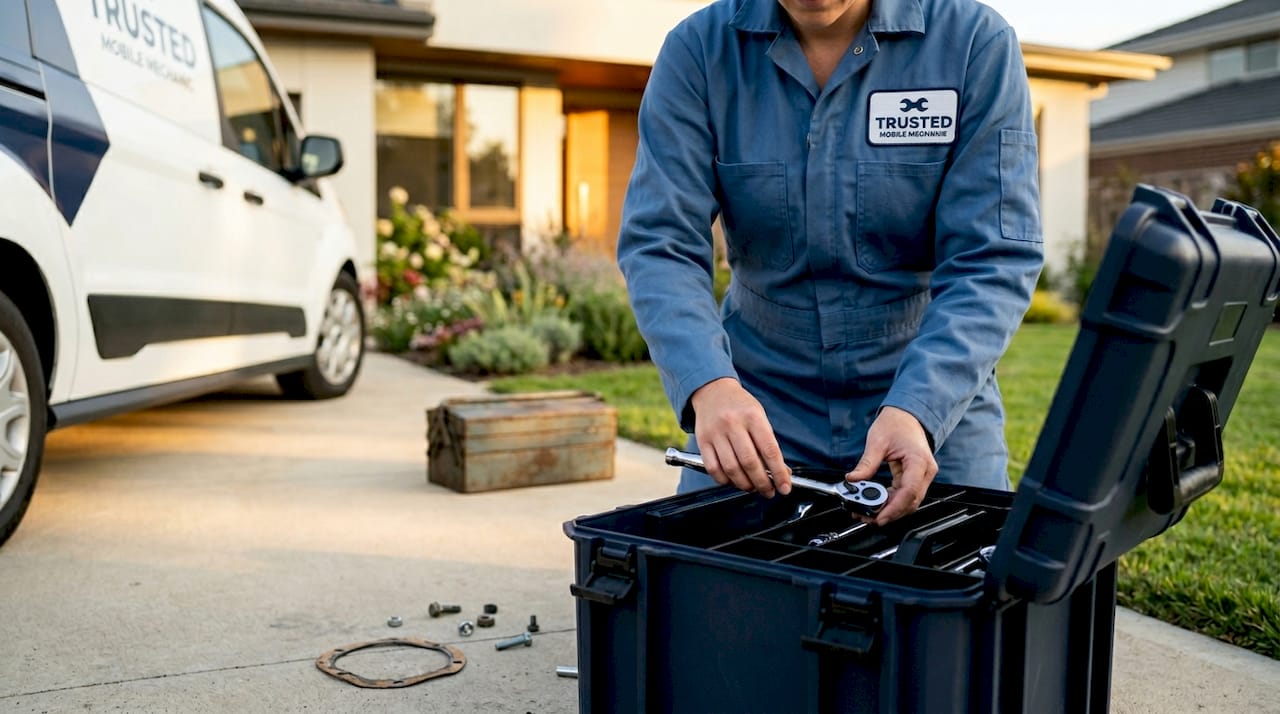
You also need to think through your location before you book. Mobile mechanics need a level, solid surface with enough space to work safely and legally. A driveway or open parking lot works well. A tight street spot next to a fire hydrant does not. Note any gate codes, parking restrictions, or building access instructions you will need to share.
Finally, have your payment method ready and take 60 seconds to read the app’s cancellation policy. Some platforms charge a fee for last-minute cancellations, and knowing that upfront prevents frustration later.
Pro Tip: Screenshot your VIN and save it in your phone’s photos. You will never have to crawl to the dashboard again when filling out a booking form.
Step-by-step process for booking a mobile mechanic using an app
This is the core of the book mobile mechanic app steps process. Follow these in order and you will avoid the most common friction points.
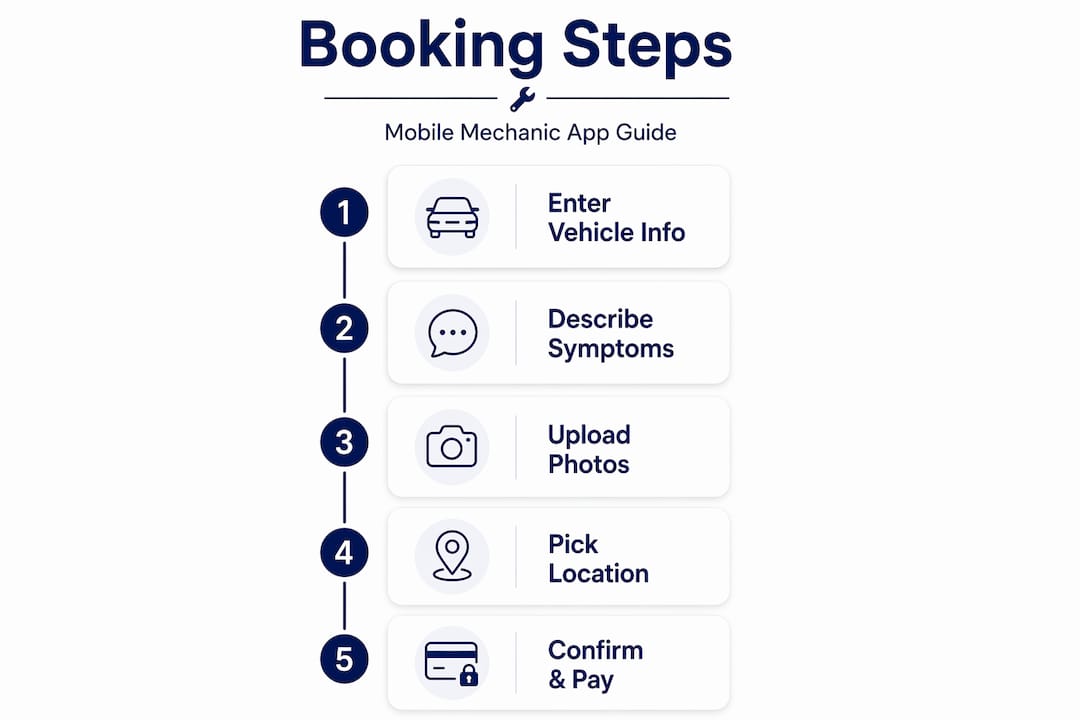
- Download and open the app, then create or log into your account. Most platforms ask for your name, phone number, and email. Use a phone number you actively monitor since confirmations and technician contact come through it.
- Enter your vehicle information. Input the year, make, model, and VIN. Some apps auto-populate details from the VIN, which saves time and reduces errors.
- Describe the issue clearly and select the service type. Choose from the app’s service menu (oil change, brake inspection, battery replacement, etc.) and add your written symptom description in the notes field. This is where specificity pays off.
- Check mechanic availability and choose a time slot. Most apps show real-time availability. Pick a window when you can be present, since many technicians need you nearby to confirm details or approve additional work.
- Enter your precise location and any access details. Include the full address, unit or suite number if applicable, gate codes, and a note about where to park. Vague locations are one of the top reasons for appointment delays.
- Review the service estimate, terms, and cancellation policy. Apps typically show estimates, terms, and cancellation policies before you confirm. Read this screen. Check whether the labor estimate is flat-rate or hourly, and confirm what is and is not included.
- Confirm your appointment and payment method. Enter your card details or connect a digital wallet. Tap confirm only after you have reviewed everything on the summary screen.
- Watch for automated confirmations. SMS reminders 24 hours and 2 hours before your appointment are now standard on most platforms. These are your signal to double-check your location setup and make sure the car is accessible.
| Step | Action | Common mistake |
|---|---|---|
| Vehicle info | Enter VIN, make, model, mileage | Skipping VIN causes estimate errors |
| Symptom description | Write specific, detailed notes | Vague descriptions lead to wrong parts ordered |
| Location | Full address plus access notes | Missing gate code causes no-show |
| Estimate review | Read itemized breakdown | Skipping this leads to billing surprises |
| Confirmation | Verify time, payment, contact info | Wrong phone number blocks technician contact |
One thing worth knowing: 40% of auto repair bookings happen outside normal business hours. That means booking a mobile mechanic through an app at 10 p.m. on a Sunday is not unusual, and the better platforms handle it without issue.
Pro Tip: After confirming, add the appointment to your phone’s calendar with the technician’s name and your booking reference number. If anything goes sideways, you have everything in one place.
Common mistakes to avoid when booking through mechanic apps
Even with a solid app, small errors on your end can create real headaches. These are the ones that show up most often.
- Being vague about symptoms. “Something feels off” tells a mechanic almost nothing. Clear booking details lead to fewer surprises on your invoice. Think of it like hiring a plumber: the more specific you are, the more accurate the quote.
- Getting the location wrong. An incorrect address or a missing gate code can cause a technician to sit in the wrong parking lot for 15 minutes before calling you. That eats into your service window.
- Authorizing work without a written estimate. Never say yes to repairs verbally before seeing a written, itemized breakdown. A professional mechanic will provide a written estimate that covers labor, parts, and taxes. If someone skips this step, treat it as a red flag.
- Ignoring app notifications. The app sends reminders for a reason. Missing a 2-hour reminder means you might not have the car in position or the gate unlocked when the technician arrives.
- Booking based on price alone. The cheapest option is not always the best one. Mechanics who win on price often cut corners on diagnosis time, which costs you more in the long run.
“Treat booking a mobile mechanic like hiring a skilled trade. Clarity in what you need leads to fewer surprises on the invoice.” — How to book car service online
If you need to reschedule, do it as early as possible through the app rather than ignoring the appointment. Most platforms allow changes up to a set cutoff without penalty. Canceling inside that window without notice can result in a fee and may affect your standing with that mechanic or platform.
What to expect on the day of your appointment
Knowing what happens when the technician shows up removes a lot of the anxiety that comes with any repair situation.
- Pre-arrival contact. Technicians typically contact you before arriving to confirm the exact location and any special instructions. Pick up. This call prevents the most common day-of delays.
- On-site diagnosis and written estimate. Once the technician arrives and looks at the vehicle, they will confirm the issue and provide a written estimate before touching anything. If the problem turns out to be different from what was described in the app, they will explain the difference and give you updated pricing.
- Transparent repair process. A good mobile mechanic walks you through what they are doing and shows you any parts they remove. This is not just courtesy. It is how you know the work was actually done.
- Payment at completion. Most apps process payment through the platform after the job is finished. Some technicians also carry card readers for in-person payment. Confirm the method before the appointment ends.
- Rating and feedback. After the appointment closes, the app will prompt you to leave a rating. Do it. Honest reviews help other car owners make better decisions, and they hold service providers accountable.
Pro Tip: Before the technician leaves, ask them to walk you through what was repaired and why. If you are dealing with a recurring issue like brake wear or electrical problems, ask what to watch for next.
My honest take on booking mobile mechanics through apps
I have seen car owners go through the same frustrating cycle: they pick the cheapest option, skip the symptom details, get an estimate that bears no resemblance to the final bill, and then swear off mobile mechanics entirely. The app did not fail them. Their approach did.
What I have learned is that the quality of your booking input directly determines the quality of your experience. Mechanics work from the information you give them. If you hand them a vague description and a rough address, you are setting up a situation where surprises are almost guaranteed.
The other thing people underestimate is the value of being present during the repair. I get it. The whole point of a mobile mechanic is convenience, and you want to go back to your day. But staying close for the first 10 minutes, asking one or two questions, and seeing the old part in the technician’s hand builds a level of trust that no review score can replicate.
My honest recommendation: build a relationship with one reliable mobile mechanic rather than price-shopping every single time. Once a technician knows your vehicle’s history, appointments get faster, diagnoses get sharper, and you stop paying for the inefficiency of starting from scratch every visit. For anyone in the Los Angeles area, engine diagnostics done by someone who already knows your car’s quirks is worth more than saving $20 on a new provider.
Flexibility also matters more than most people admit. Traffic in LA is real. Give your technician a reasonable arrival window and communicate if your own schedule shifts. That mutual respect makes the whole system work better for everyone.
Book your next repair with Onsitelosangelesmechanic
If you are in the greater Los Angeles area and want a mobile mechanic experience that actually matches what this guide describes, Onsitelosangelesmechanic is worth your time.
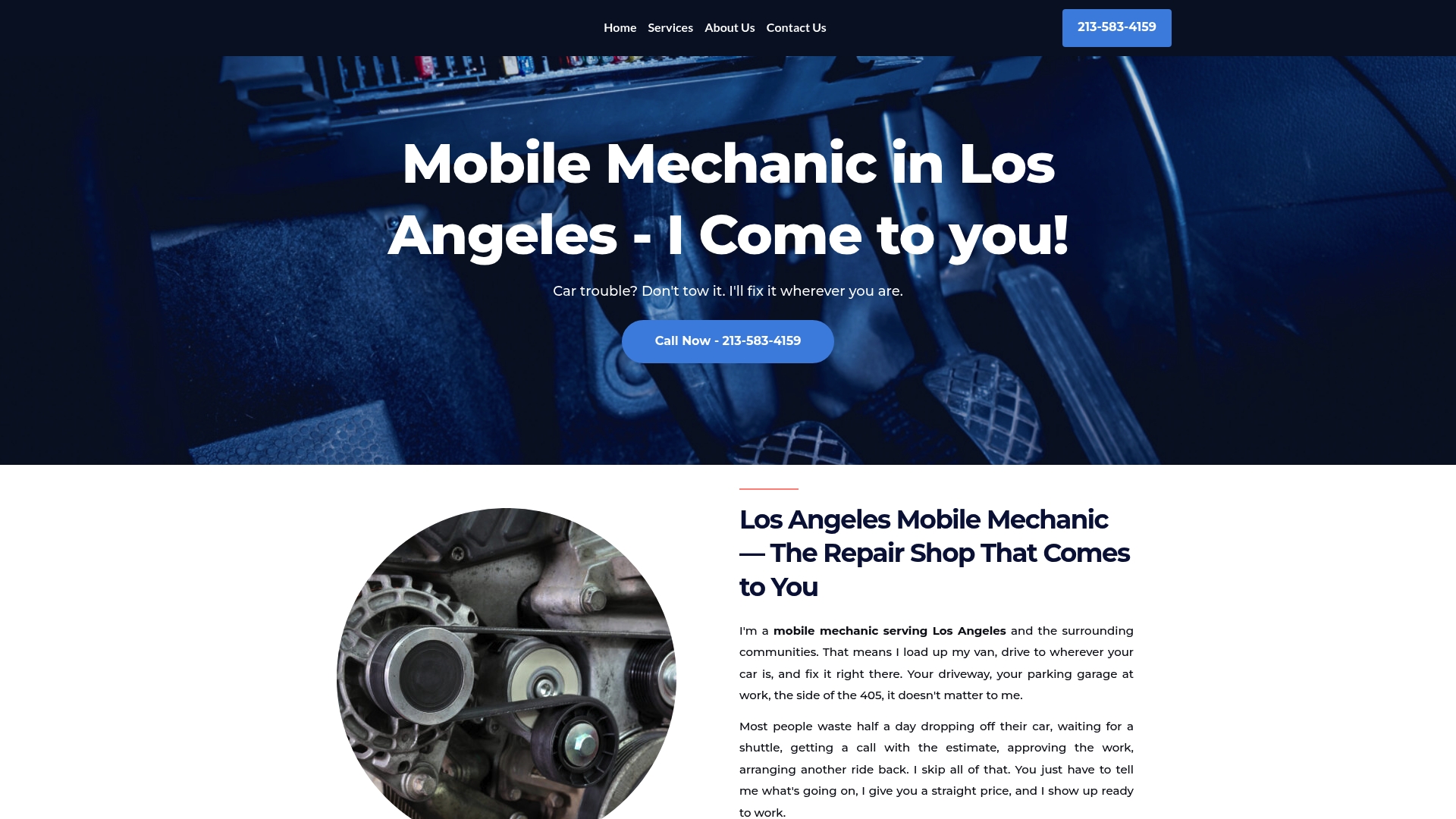
Onsitelosangelesmechanic sends certified technicians directly to your home, office, or parking lot across LA, Long Beach, Pasadena, Burbank, and surrounding cities. You get upfront pricing before any work begins, no hidden fees, and technicians who explain what they are doing in plain language. Many common repairs like oil changes and battery replacements are finished within an hour. Browse the full list of available repair services and book directly through the site. No waiting room, no tow truck, no wasted day.
FAQ
What information do I need to book a mobile mechanic app?
You need your vehicle’s year, make, model, VIN, current mileage, and a clear description of the symptoms. Having your payment method and precise location details ready before you open the app speeds up the process significantly.
How do I find a mobile mechanic near me using an app?
Open the app, enter your location or allow it to use your GPS, and the platform will show available technicians in your area with real-time availability. For Los Angeles drivers, local mobile mechanics typically cover a wide service radius.
Can I book a mobile mechanic outside of business hours?
Yes. Most mobile mechanic apps accept bookings around the clock. Research shows that 40% of auto repair bookings happen outside normal business hours, and automated systems handle scheduling and confirmation without any delay.
What should I do if I need to cancel or reschedule my appointment?
Cancel or reschedule through the app as early as possible. Most platforms have a cutoff window, typically a few hours before the appointment, after which a cancellation fee may apply. Avoid no-showing without notice since it can affect your account standing.
How do I know the repair estimate is accurate before confirming?
Review the itemized breakdown the app shows before you confirm. It should list labor costs, parts, and any applicable taxes separately. A written, itemized estimate is standard practice for professional mobile mechanics, and you should never authorize work without seeing one.
Recommended
- Mobile Mechanic Los Angeles — I Come to You | 213-583-4159 – Onsite Los Angeles Mobile Mechanic
- Mobile Mechanic Long Beach – I Come to You | 213-583-4159 – Onsite Los Angeles Mobile Mechanic
- Mobile Mechanic Burbank – I Come to You | 213-583-4159 – Onsite Los Angeles Mobile Mechanic
- Mobile Mechanic Services – 213-583-4159 – Local Auto Repair Services – Onsite Los Angeles Mobile Mechanic