Contactless mobile mechanic payment is the practice of settling your car repair bill using NFC-enabled devices, digital wallets, or payment links, with no cash or physical card swipe required. Over 60% of U.S. transactions involve credit or debit cards, and about 25% of Americans use digital wallets like Apple Pay or Google Pay. That shift in payment behavior has moved directly into the mobile auto repair space. If you want to pay mobile mechanic contactlessly steps are simpler than most car owners expect, and Onsite Los Angeles Mobile Mechanic accepts multiple contactless methods to make the process fast and transparent.
What do you need before paying a mobile mechanic contactlessly?
Getting set up for a contactless car repair payment takes less than five minutes. The key is knowing what tools you need and confirming the details with your mechanic before the appointment starts.
What to have ready:
- An NFC-enabled smartphone (iPhone 6 or later, or most Android phones from 2015 onward) with Apple Pay or Google Pay configured
- A contactless credit or debit card with the wireless symbol printed on it
- The mechanic’s preferred payment platform confirmed in advance (Zelle, Venmo, a card reader, or a payment link)
- A written or digital itemized estimate reviewed and agreed upon before any work begins
Mobile mechanics typically charge $50 to $100 per hour in labor, plus separate line items for parts, disposal fees, and travel. Knowing this structure before payment prevents surprises at checkout. Always ask for a breakdown that separates labor from parts, so you can verify each charge independently.
Pro Tip: Charge your phone to at least 50% before your mechanic arrives. NFC tap-to-pay fails when your phone enters low-power mode, and that is the most common reason contactless payments stall on-site.
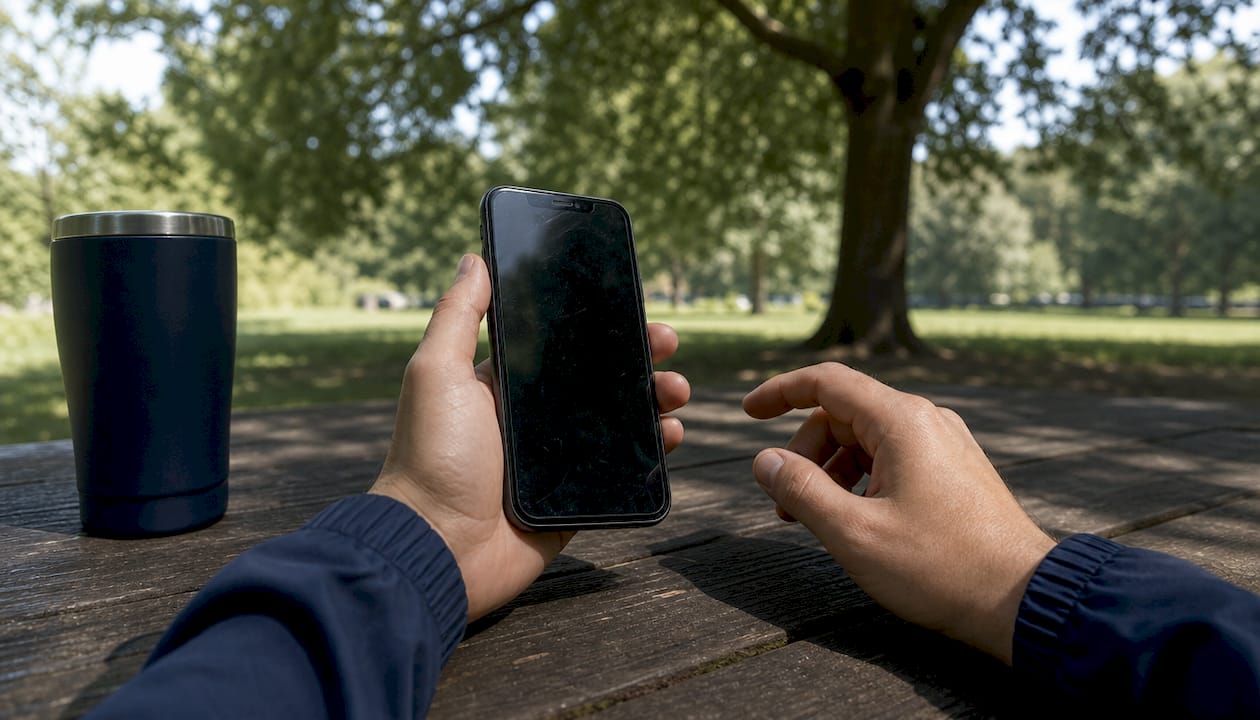
Confirming accepted payment methods when you book your appointment removes all guesswork. A quick phone call is all it takes to align on method, deposit requirements, and final payment timing.
Step-by-step guide to paying on-site contactlessly
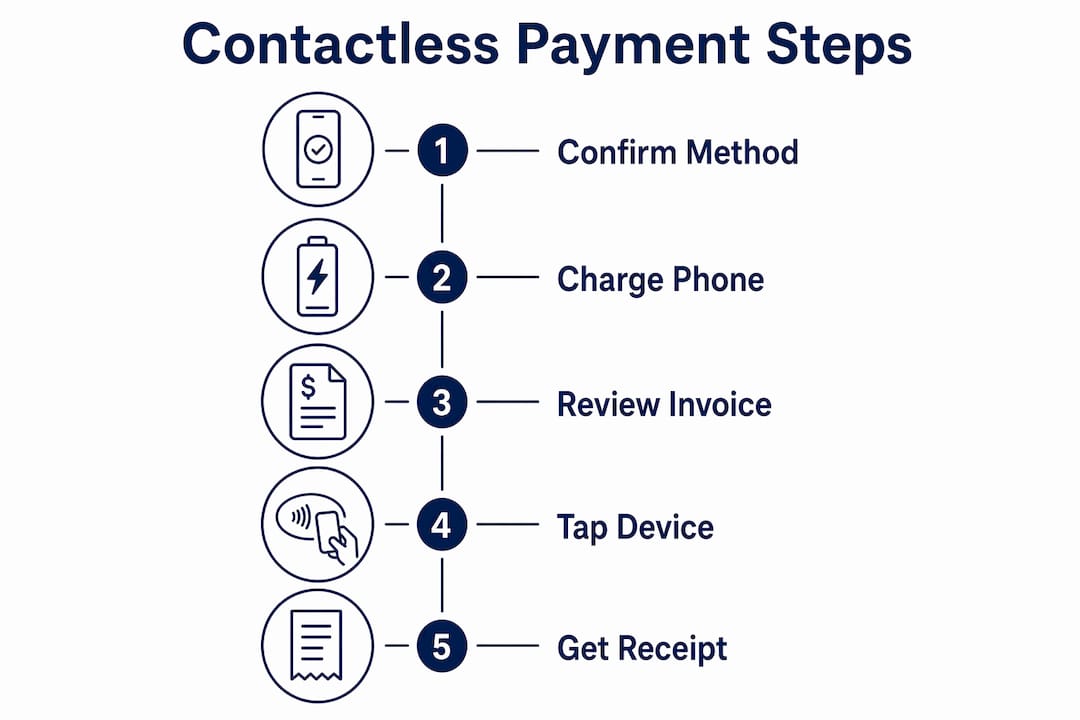
On-site contactless payment follows a clear sequence. Each step builds on the last, so skipping one creates friction at checkout.
Confirm the final invoice before payment. Ask the mechanic to show you the completed invoice on their device or send it to your phone. Verify that labor hours, parts costs, and any travel fees match the original estimate. Transparent, itemized estimates before work starts prevent financial disputes at the end of the job.
Choose your payment method. Decide whether you are tapping your phone, tapping your contactless card, or paying through a digital link. If you use Apple Pay or Google Pay, open the wallet app now so it is ready.
Tap to pay on the mechanic’s NFC reader. Tap-to-pay via NFC allows payment without extra hardware by simply holding your card or phone near the mechanic’s NFC-enabled device. Hold your device within one inch of the reader and wait for the confirmation sound or screen prompt.
Wait for payment approval. The transaction typically clears in two to five seconds. Do not move your phone or card until you see the green checkmark or hear the confirmation tone. Moving too early cancels the transaction.
Request a digital receipt immediately. Ask the mechanic to send the receipt to your email or phone number. A digital receipt is your proof of payment and your record for warranty claims on parts.
Handle a failed tap payment without panic. If the NFC tap fails, try these fallbacks in order: reopen your wallet app and retry, switch to your physical contactless card, or ask the mechanic to send a payment link instead. Mobile payment solutions for field services integrate card readers, tap-to-pay, invoices, and virtual terminals specifically to handle these situations.
Pro Tip: If you are in a parking garage or basement with weak signal, ask the mechanic to switch to offline card processing mode or send a payment link you can complete once you have a connection.
The entire on-site payment process, from invoice review to receipt, takes under three minutes when both sides are prepared. That speed is one of the biggest advantages of mobile mechanic services over traditional shop visits.
How do payment links work for mobile mechanic payments?
Payment links are the most friction-free method for completing a contactless car repair payment remotely or before the appointment. A single payment link consolidates multiple payment options, including Zelle, Venmo, and credit cards, into one URL the mechanic sends directly to your phone.
Here is how the payment link process works from your side:
- The mechanic texts or emails you a link after completing the job or before starting high-cost work
- You open the link on your phone and see all accepted payment options in one place
- You select your preferred method, enter payment details, and confirm
- The system sends both you and the mechanic a confirmation instantly
When payment links are used for deposits: Mechanics often require deposits for parts or jobs exceeding $500 to protect against canceled orders on non-returnable parts. The deposit link arrives before the appointment, and the final payment link arrives after the job is done. This two-step structure keeps both parties protected.
| Payment scenario | Best method | Why it works |
|---|---|---|
| On-site, job under $200 | NFC tap-to-pay | Fast, no link needed, instant confirmation |
| Remote deposit before appointment | Payment link | Secure, no in-person exchange required |
| High-cost repair over $500 | Payment link with deposit split | Protects mechanic on parts; clear for car owner |
| Weak signal or NFC failure | Payment link via text | Works on any connection, no hardware needed |
Single payment links also eliminate the compatibility question entirely. You do not need to have the same app as your mechanic. You just open a link in your browser and pay. That simplicity is why payment links have become the preferred backup for on-site mobile payments when NFC is unavailable.
What are the most common contactless payment mistakes to avoid?
Most payment problems with mobile mechanics come from skipping preparation steps, not from technology failures. Knowing the pitfalls in advance keeps your checkout smooth.
Common mistakes and how to fix them:
- Not confirming the payment method before the appointment. Fix this by asking during booking, not at checkout. Mechanics vary widely in what they accept.
- Skipping the itemized estimate review. Never authorize payment on a total without seeing the line-item breakdown. Labor, parts, and travel should each appear separately.
- Having no backup payment method. Experts recommend combining NFC tap-to-pay with digital invoicing and traditional card options to prevent failed transactions. Carry a physical contactless card even if you plan to use your phone.
- Confusing the deposit with the final payment. A deposit covers parts ordering. The final payment covers labor and any additional parts. Treat them as two separate transactions with two separate receipts.
- Paying before the job is complete. Release final payment only after you have inspected the work and confirmed the repair is done correctly.
Verifying every line on your invoice before tapping to pay is the single most effective step a car owner can take to avoid payment disputes with a mobile mechanic. A 30-second review prevents hours of back-and-forth later.
Pro Tip: Screenshot your payment confirmation screen immediately after the transaction. If a receipt email is delayed or goes to spam, that screenshot is your backup proof of payment.
The reliability of contactless tap-to-pay depends on NFC support, battery charge, and network availability. Both you and your mechanic should keep backup payment methods ready before the appointment starts. Preparation beats troubleshooting every time.
Key Takeaways
Paying a mobile mechanic contactlessly requires confirming your payment method in advance, reviewing an itemized estimate, and keeping a backup payment option ready for signal or hardware issues.
| Point | Details |
|---|---|
| Confirm payment method early | Ask which methods are accepted when you book, not at checkout. |
| Review itemized estimates first | Verify labor, parts, and travel fees before authorizing any payment. |
| Use NFC tap-to-pay on-site | Hold your phone or card within one inch of the reader and wait for confirmation. |
| Payment links cover remote payments | A single link lets you pay via Zelle, Venmo, or card without matching apps. |
| Always keep a backup method | Signal issues and low battery can block NFC; a physical card or payment link solves it. |
Why contactless payments have changed how I think about mobile repair
The shift to contactless payment in mobile auto repair is not just a convenience upgrade. It changes the entire trust dynamic between a car owner and a mechanic. When payment is transparent, documented, and instant, both sides feel more confident about the transaction.
What I have noticed working in this space is that the biggest friction point was never the technology. It was the lack of a clear estimate before payment. Car owners who receive an itemized invoice before the mechanic starts work almost never dispute the final charge. The number matches what they agreed to, and the payment takes seconds. That combination of upfront pricing and fast checkout is what makes mobile repair genuinely better than a shop visit for most routine jobs.
The technology side is improving fast. NFC readers are smaller, more reliable, and work in more environments than they did even two years ago. Payment links have eliminated the “do you have Venmo?” conversation entirely. The remaining challenge is education. Car owners who know to charge their phone, confirm the method in advance, and keep a backup option ready have a near-perfect payment experience every time. Those who skip those steps are the ones who run into problems.
My advice is simple: treat the payment conversation the same way you treat the repair conversation. Ask questions upfront, confirm the details in writing, and do not release payment until you are satisfied with the work. Contactless methods make that process faster. They do not replace the judgment you bring to it.
— Aaron
Onsite Los Angeles Mobile Mechanic makes contactless payment straightforward
Onsite Los Angeles Mobile Mechanic accepts multiple contactless payment methods, so you never have to worry about carrying cash or finding an ATM before your appointment.
When you call to book, the team confirms your preferred payment method upfront and sends a clear itemized estimate before any work begins. Whether you prefer NFC tap-to-pay, a digital payment link, or a contactless card, the process is fast and fully documented. For car owners across the greater Los Angeles area, mobile mechanic services from Onsite Los Angeles Mobile Mechanic combine on-site repair with a checkout experience that takes under three minutes. Call 213-583-4159 to book your appointment and confirm your payment options before the mechanic arrives.
FAQ
What contactless payment methods do mobile mechanics accept?
Most mobile mechanics accept NFC tap-to-pay via Apple Pay or Google Pay, contactless credit and debit cards, and digital payment links that support Zelle, Venmo, and card payments. Confirm the accepted methods when you book your appointment.
Do I need a special app to pay a mobile mechanic contactlessly?
No special app is required if the mechanic sends a payment link. You open the link in your phone’s browser and pay with your preferred method. NFC tap-to-pay requires Apple Pay or Google Pay set up on your phone.
Why do mobile mechanics ask for a deposit before starting work?
Mechanics often require deposits for jobs exceeding $500 to cover non-returnable parts ordered specifically for your vehicle. The deposit is payable via payment link or contactless card before the appointment begins.
What should I do if my contactless payment fails on-site?
Retry with your physical contactless card first, then ask the mechanic to send a payment link you can complete on your phone. Keeping a backup method ready before the appointment prevents any delay.
How do I know my contactless payment went through?
A successful NFC tap-to-pay transaction produces an on-screen confirmation and a tone from the reader within five seconds. Always request a digital receipt sent to your email or phone number as your permanent payment record.